ILOOKix

Innovation in Practice — Digital Forensics

Powerful and easy to use

ILOOKix is designed for ease of use, intuitive interface, comprehensive processing and stability in the face of ever-growing volumes of data.

V10

A long history of innovation

Since its first use with the UK security services in the late 1990s, and later with global law enforcement, ILOOK has undergone a huge amount of development — particularly in relation to Apple file systems. As ILOOKix v10, it is now available for use outside of the law enforcement, intelligence and military environments.

To cater for the needs of practitioners working on smaller, less demanding cases, there is now a 'Standard' version which does not include the ground-breaking XtremeFileRecovery capability, automatic deconstruction of volume shadow copies (added to the folder tree), or IXImager, the world's fastest imaging and data-recovery tool.

Features

Two editions to match the demands of any case

Standard Edition

Perpetual Licence · Key Features
  • Data capture, analysis, investigation and dissemination
  • An easy-to-use interface
  • Five built-in, fast and thorough search engines
  • Built-in development environment
  • Built-in file viewers for hundreds of file types
  • Salvage engine
  • Extremely fast hash engines and automated data-reduction techniques
  • Built-in email store processing, searching and viewing
  • Filesystem, file and email recovery
  • Multiple categorisation features
  • Registry viewing and searching
  • Virus / Trojan search and identification
  • VMware virtual disk production from devices or images
  • Context dictionary production for password cracking
  • Encrypted containers for dissemination
  • Support for all common archive file formats
  • Automatic deconstruction of forensically-useful file types
  • Sorting, grouping and filtering of files and email
  • Advanced analysis functions
  • Advanced MS Outlook email recovery
  • Password-protected file detection

Advanced Edition

Annual Licence · All Standard features plus
  • VSS-enabled — automatically recreates and processes volume snapshots and adds them to the folder tree
  • Xtreme File Recovery — recovers deleted files and metadata from Ext 3 & 4 filesystems (in addition to NTFS, ExFAT, HFS etc.)
  • Recovers deleted files and their metadata from Volume Shadow Copies
  • IXImager creation — extremely fast and versatile booting and imaging tool

ILOOKix Firsts

Pioneering capabilities for practitioners

With its long history in the field of digital forensics, ILOOK (and now ILOOKix) has been the first tool to provide a number of significant features for practitioners. This includes being the first forensic tool to map HFS+, NTFS-compressed and Linux Ext 3 & 4 filesystems, as well as VDI and VMDK virtual disks. The process of being at the forefront of feature development continues with ILOOKix being the first tool to:

  • Generically deconstruct SQLite databases, Plists and BPlists
  • Recover deleted data from volume shadow copies
  • Correctly process all Windows 10 compressed data types

Sample Screenshots

A look at ILOOKix in action

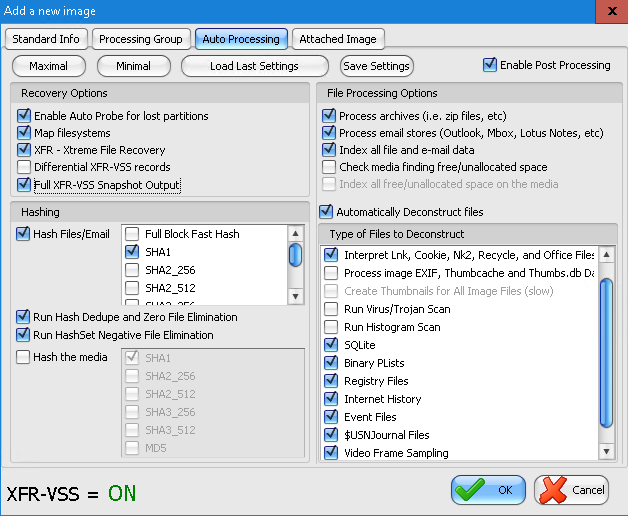
Add image dialogue

Simple but powerful processing options

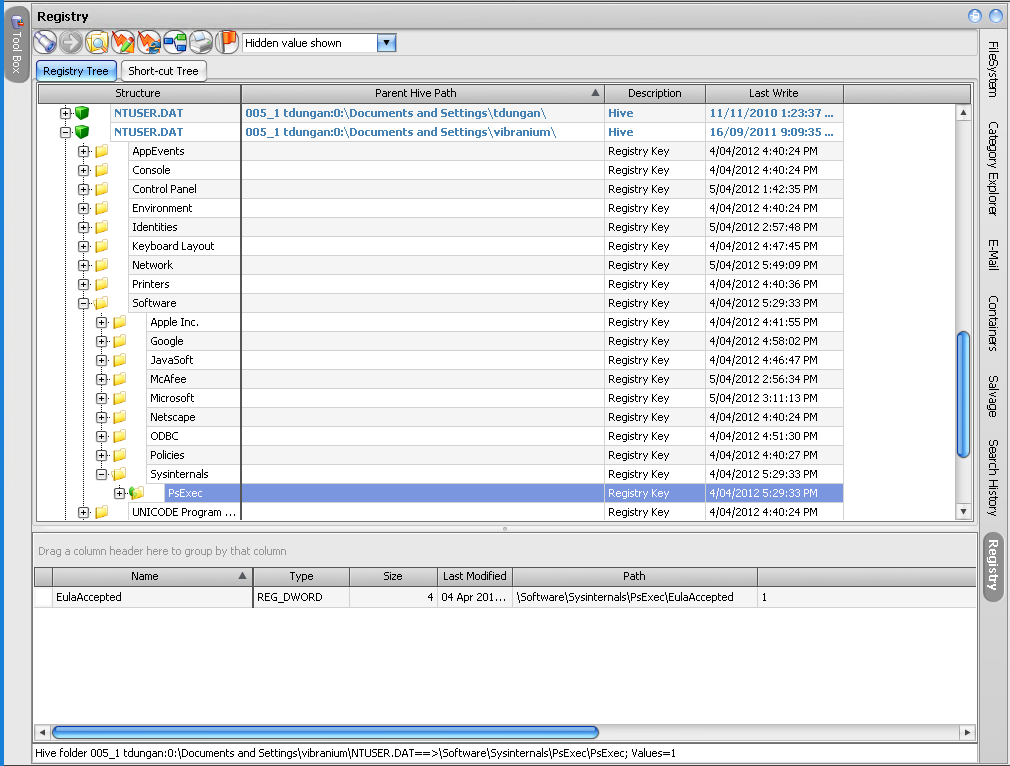
Registry processing

Built-in registry processing & viewing

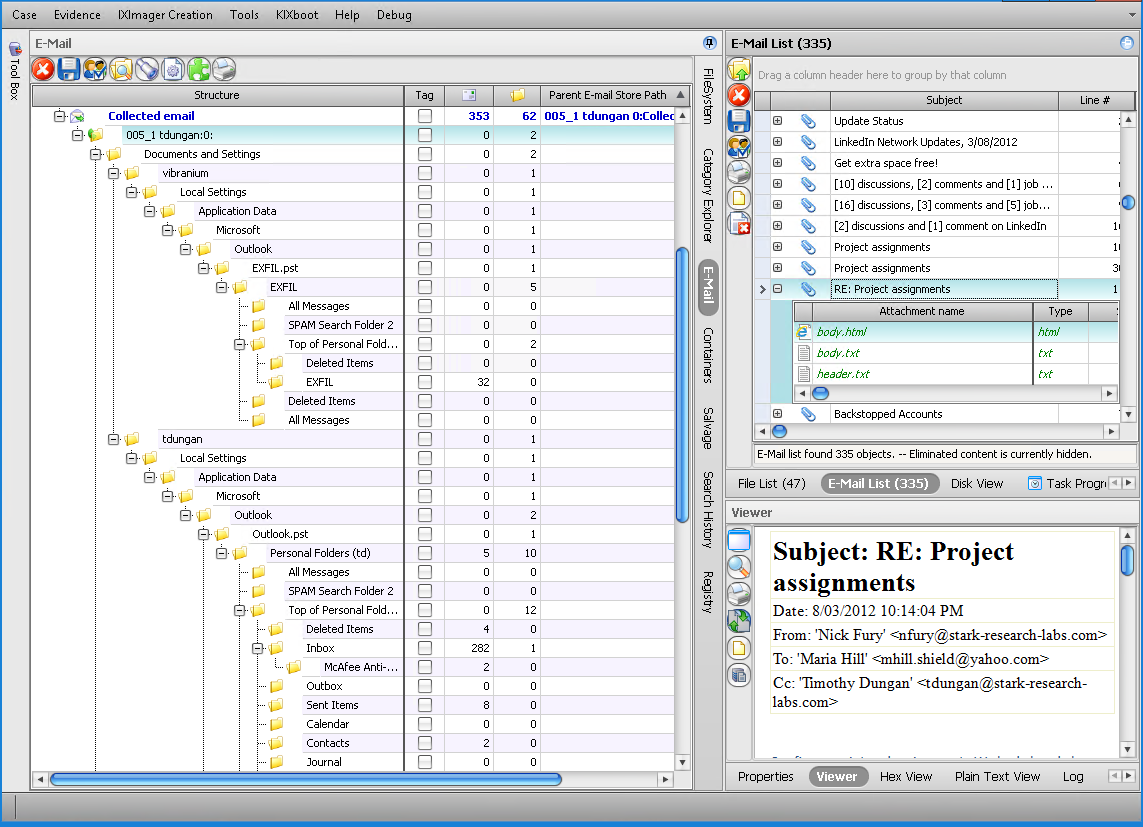
Email processing

Comprehensive email processing & viewing

Folder view with volume shadow copies

Volume Shadow Copies automatically included in folder view

Operating Environments for ILOOKix v10

Recommended specifications

Recommended Minimum

  • i5 processor or equivalent
  • 8 GB RAM
  • Fast rotational disk for case database
  • MS Windows 7 Professional 64-bit

ILOOKix will still run on systems below these specifications, but performance will be greatly reduced.

Typical Workstation

  • i7 processor or equivalent
  • 16 GB RAM
  • 250 GB SSD for case databases
  • MS Windows 10 Professional 64-bit

Typical VM Host

  • i7 processor
  • 16 GB RAM per VM
  • SSD for case databases
  • MS Server 2012

Typical VM Guest

  • All cores allocated
  • 16 GB RAM — dedicated, not dynamic
  • 250 GB virtual disk located on an SSD for case databases
  • MS Windows 10 Professional 64-bit